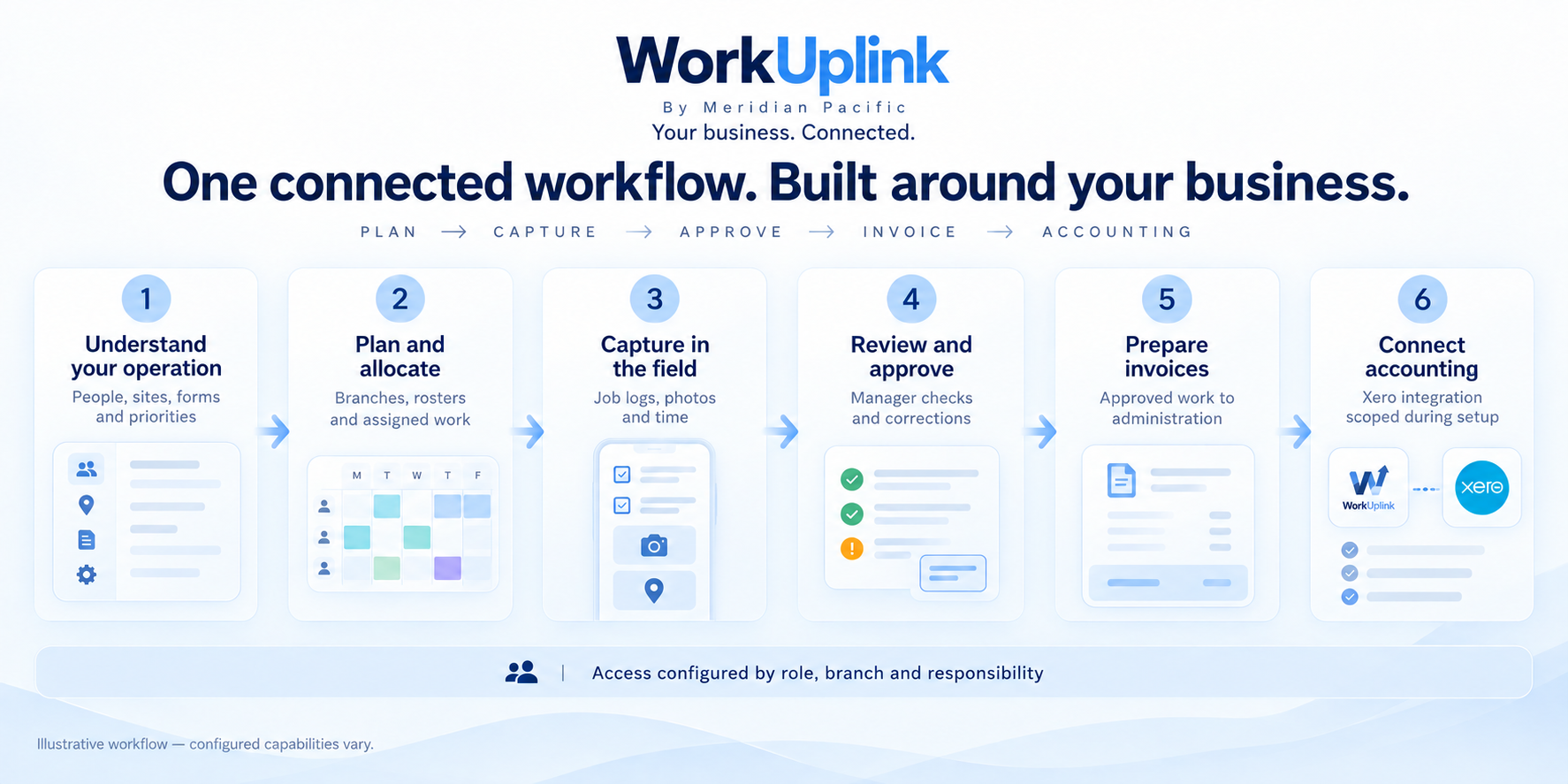
Understand your operation → plan the work → capture field records → manager review → invoice preparation → accounting.
View screen ↗Connected workflow Illustrative example
These illustrative screens use synthetic data to show how a customised portal could work. Your modules, appearance, access rules and integrations are agreed during scoping. Example layouts and figures do not represent a live customer system.
Different businesses. Different ways of working.
Start with what your team needs.
01
A small or family-run business
A tradie records work and photos on site. Their partner reviews the details and prepares invoices, with Xero integration scoped to suit their accounting process.
A facilities contractor connects staff and sites across regions. Branch managers handle local work while head office has an agreed organisation-wide view.
Example use cases, not customer testimonials. Scope and outcomes depend on the agreed implementation.
01 / Plan the work
One location or a national network.
Give people, branches and jobs a shared structure.
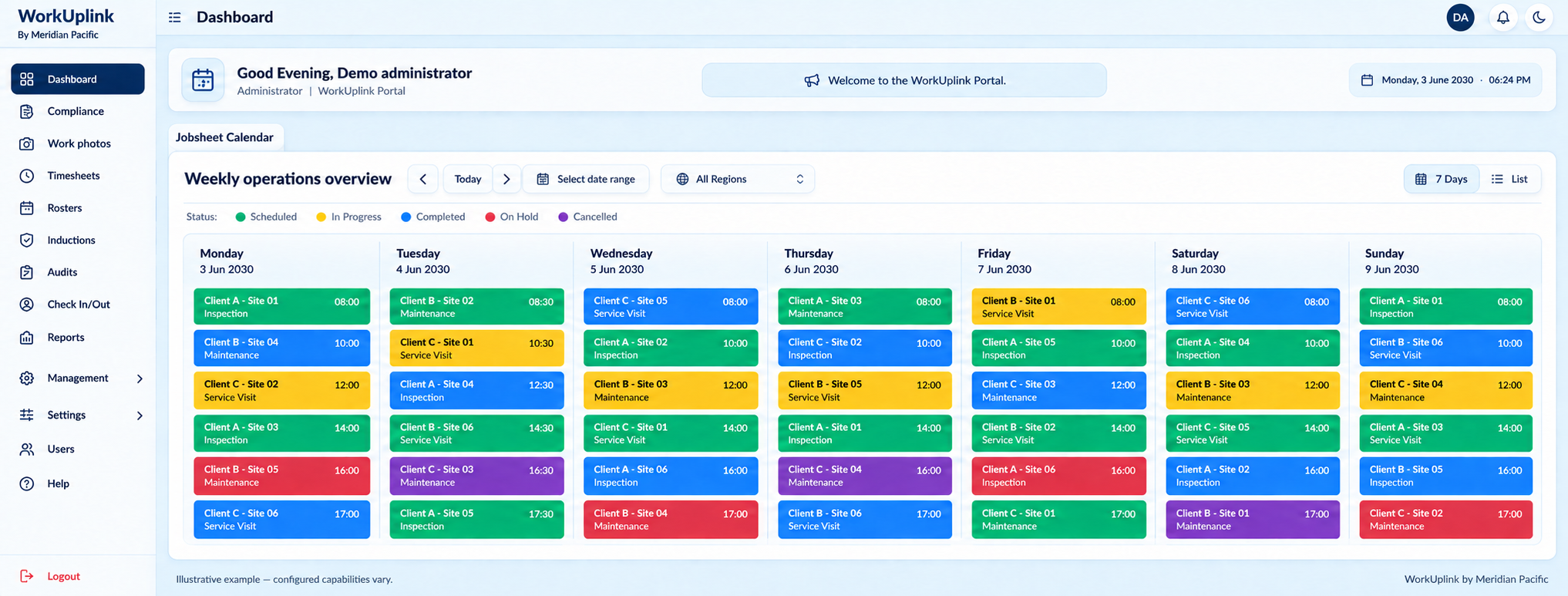
Calendar and operational overview
See the operation, not just a list of jobs.
A shared calendar brings scheduled work and its progress into one view. Managers can see which jobs are scheduled, in progress or completed without collecting separate updates from every branch.
Where it could help
A national facilities contractor could review regional workloads while branch managers focus on their own sites.
View screen ↗Calendar and operational overview Illustrative example
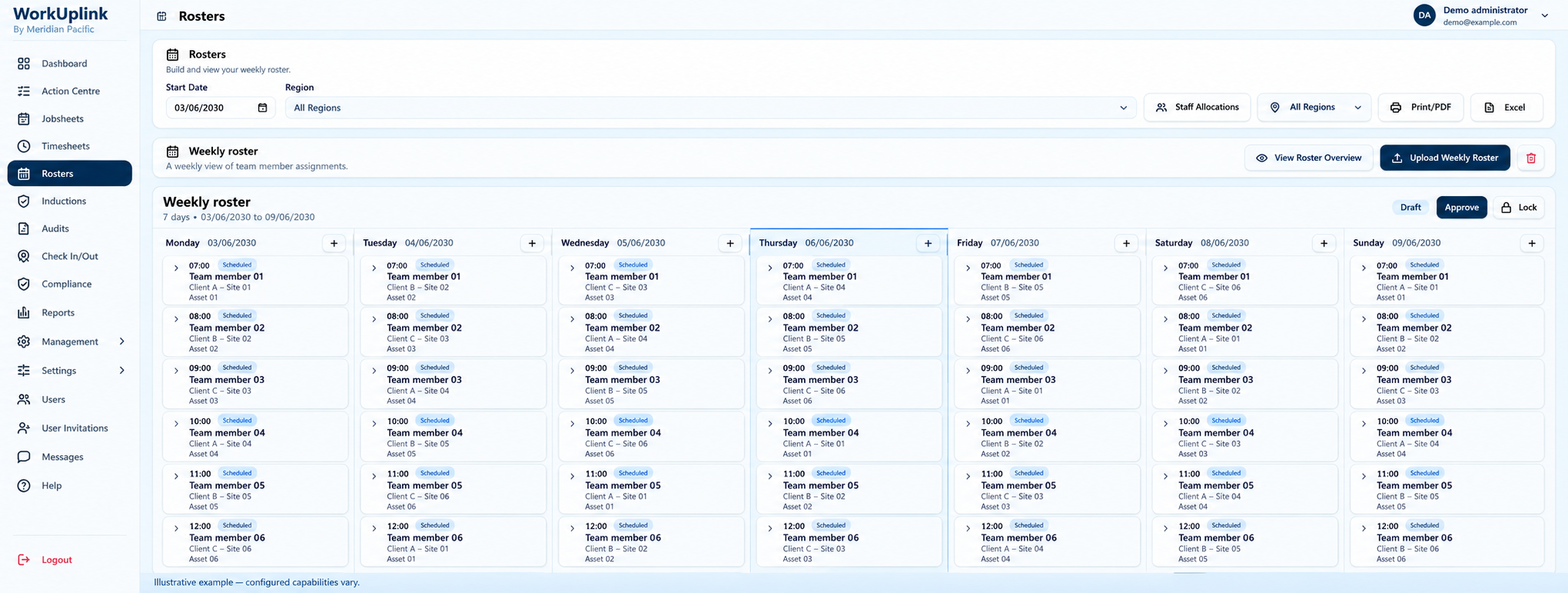
Rosters and staff allocation
Give every team a clear plan.
Build rosters around people, locations, equipment and recurring work. A consistent schedule helps coordinators spot gaps and communicate assignments before the day begins.
Where it could help
A growing cleaning company could allocate crews across morning and evening shifts at multiple sites.
View screen ↗Rosters and staff allocation Illustrative example
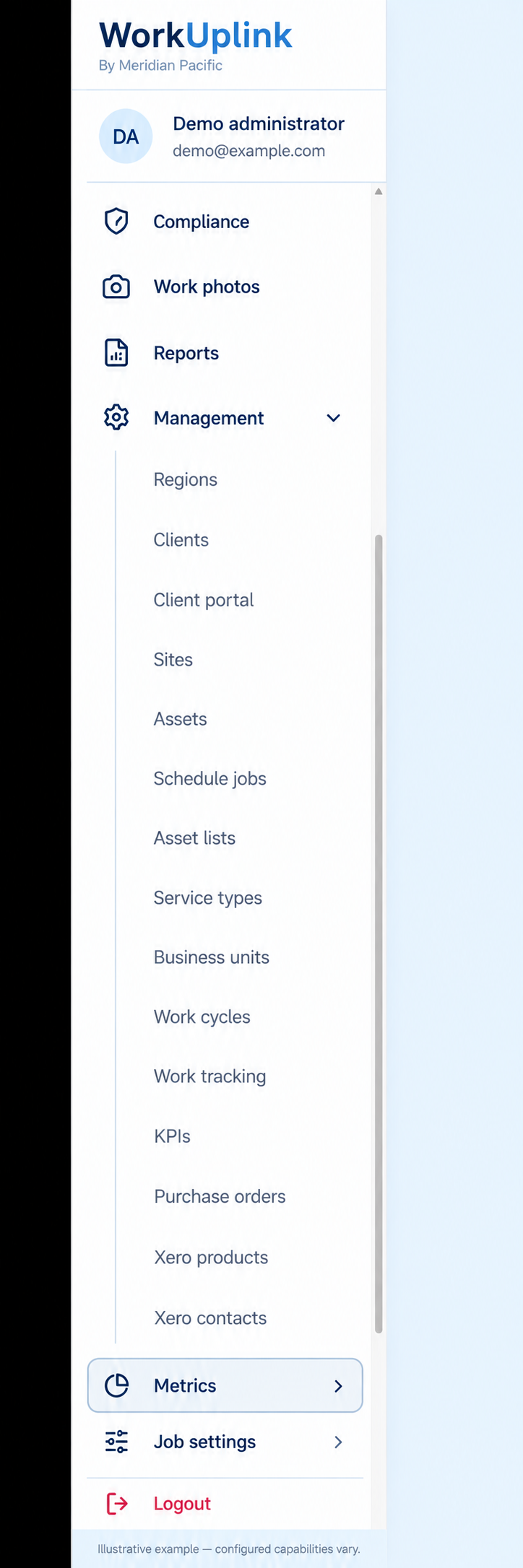
Configurable modules and business structure
Build the portal around your structure.
Bring clients, sites, regions, business units and service types together in a navigation structure that makes sense to your team. We agree the modules and terminology your business needs.
Where it could help
A group with several branches could use one consistent process while retaining branch-specific services and responsibilities.
View screen ↗Configurable modules and business structure Illustrative example
02 / Capture the work
Bring the field into the picture.
Record time, attendance and evidence where work happens.
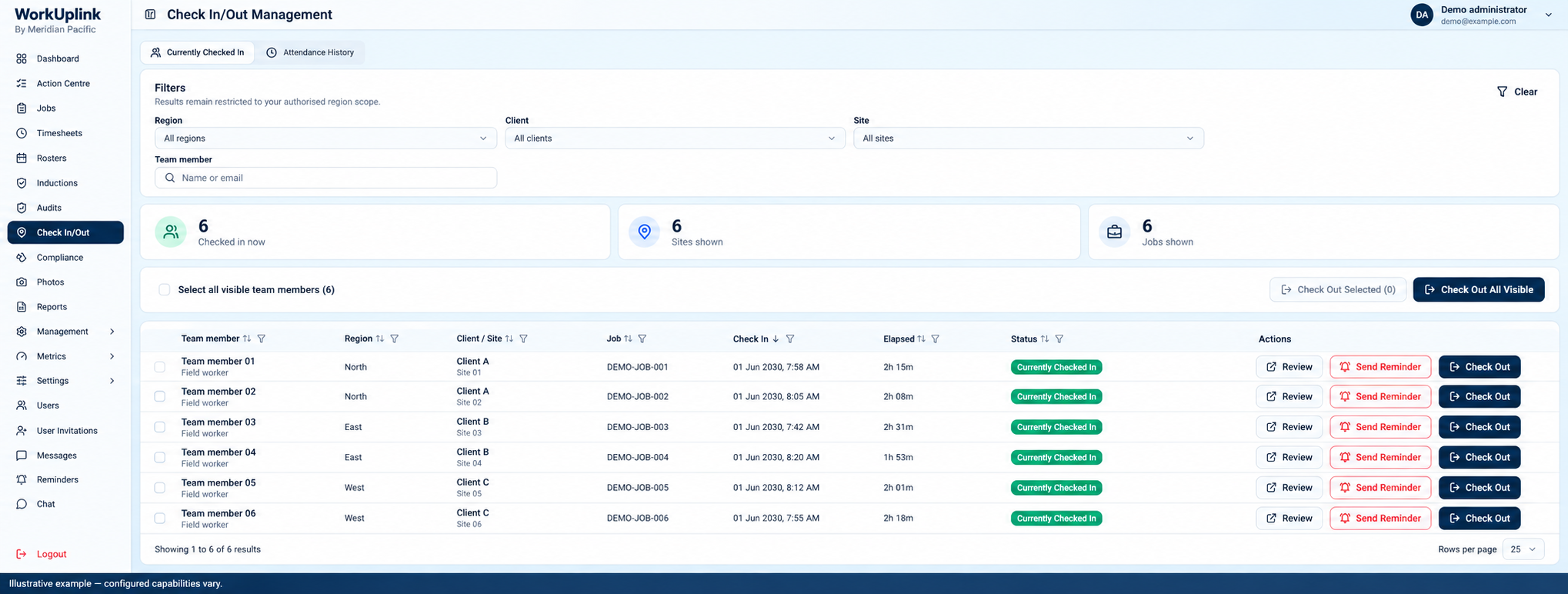
Attendance and check-in
Know who is on site and which job they’re working on.
Connect attendance records with assigned work so managers can review check-ins and follow up on incomplete records. Access and attendance rules are scoped to the business.
Where it could help
A field maintenance company could give its coordinator an overview of crews across several active sites.
View screen ↗Attendance and check-in Illustrative example
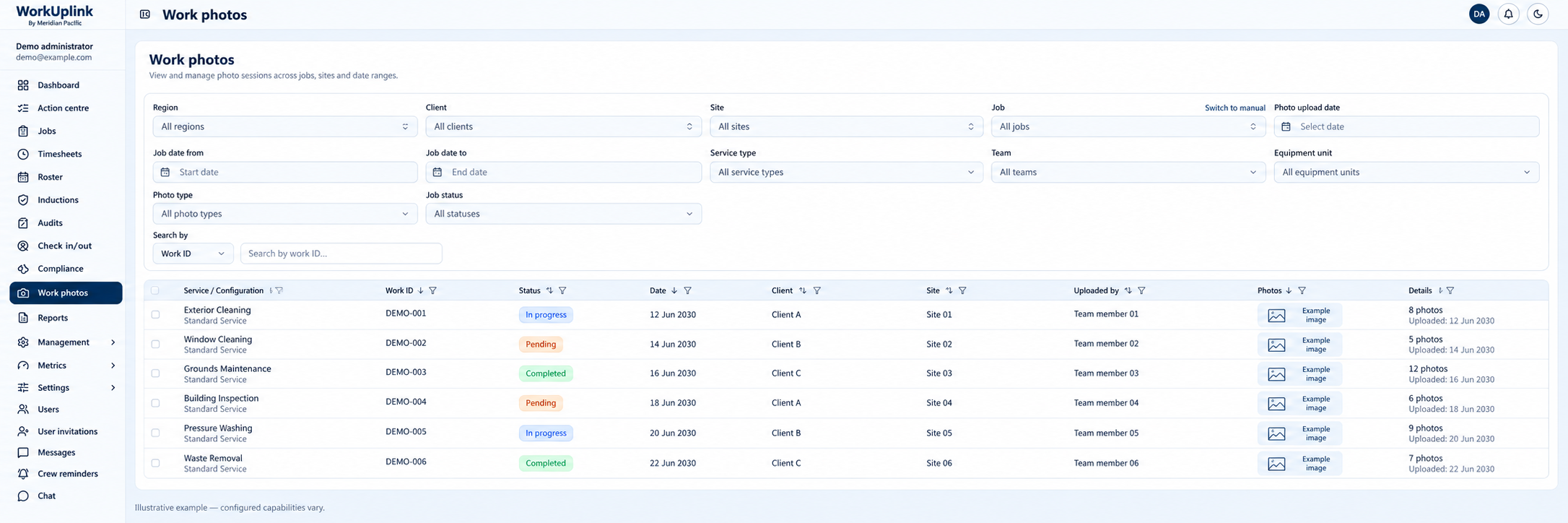
Work photos and service evidence
Keep evidence beside the work it belongs to.
Organise work photos by job, client, site and date. Keeping evidence with the work record makes it easier to answer customer questions and review service delivery.
Where it could help
A property maintenance team could keep before-and-after evidence together for each service visit.
View screen ↗Work photos and service evidence Illustrative example
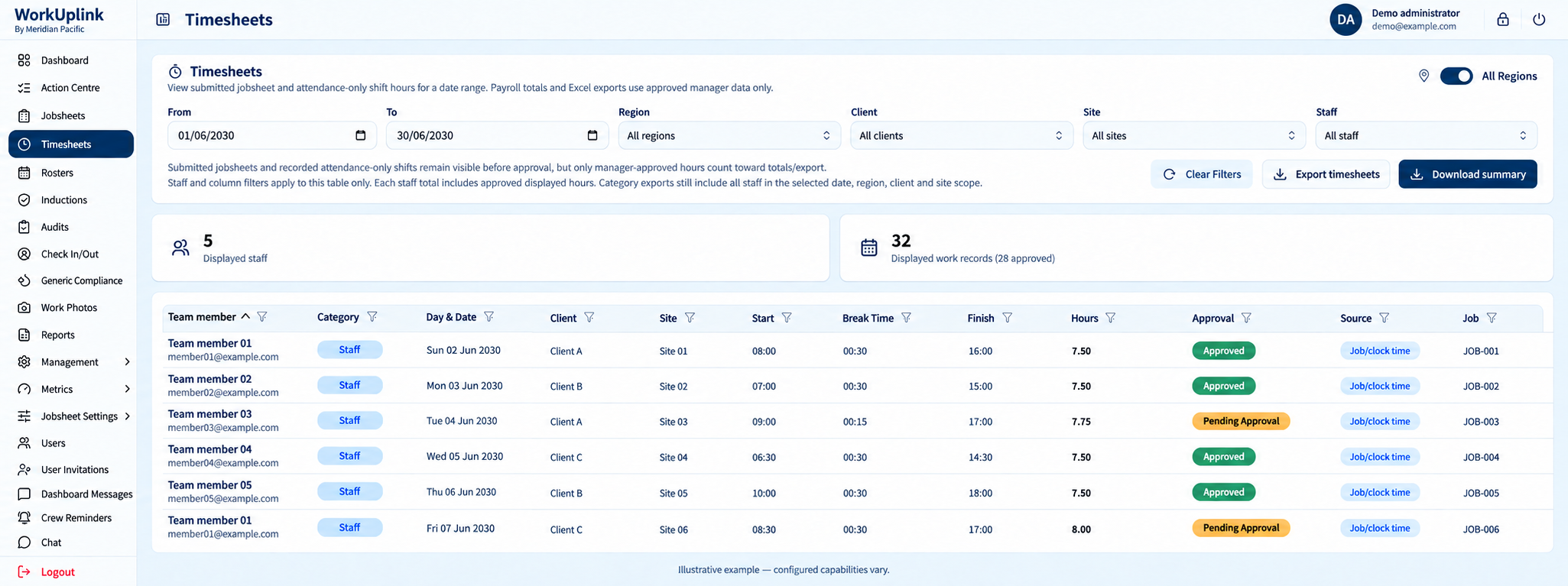
Timesheets and recorded hours
Turn recorded time into reviewable timesheets.
Bring job and attendance hours into a common review process. Managers can resolve missing time and approve records before administration prepares the agreed payroll export.
Where it could help
A two-person trade business could replace handwritten hours; a larger employer could review time by site, region or team.
View screen ↗Timesheets and recorded hours Illustrative example
03 / Review and invoice
Keep the handover moving.
Help managers and administration work from the same records.
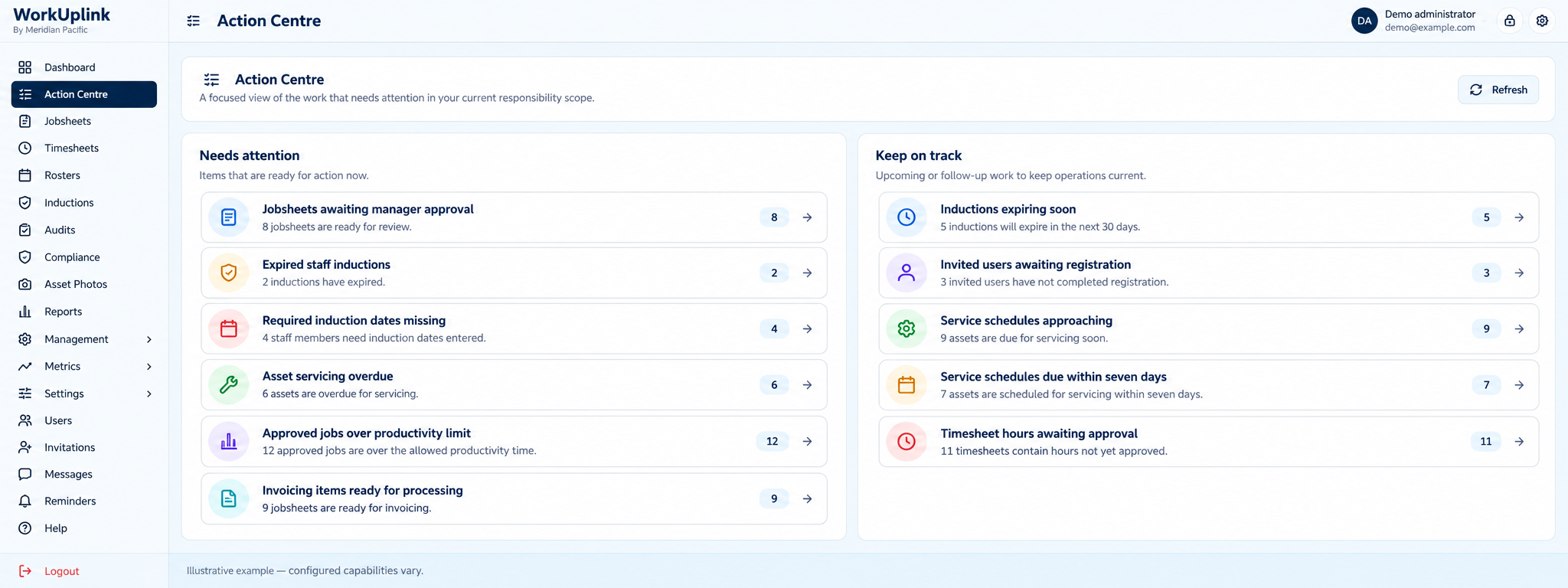
Action centre
Give the next action a clear owner.
An action centre brings outstanding approvals, missing information and upcoming requirements into one place. Teams can focus on the exceptions that need attention instead of checking every record.
Where it could help
A regional service business could start each morning with a clear list of jobs awaiting review and records needing correction.
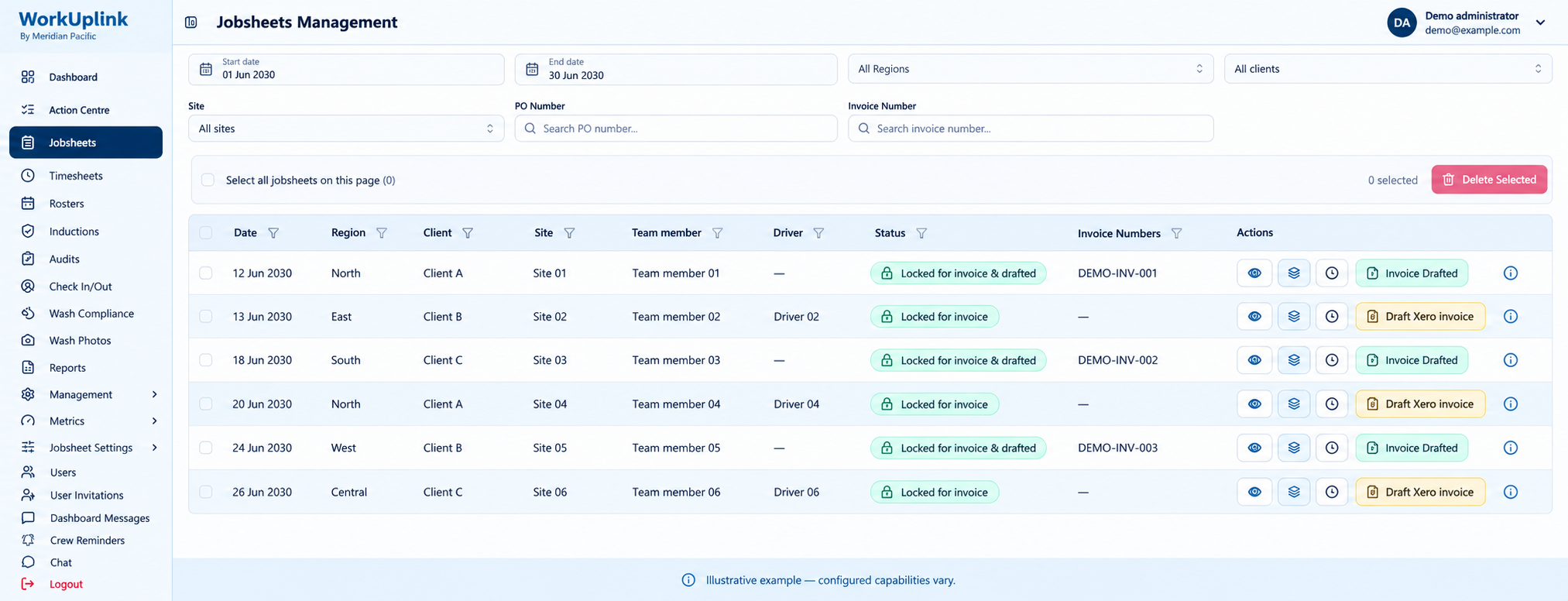
Link manager review with administration so approved jobs can be prepared for invoicing with less repeated data entry. Invoice rules, batching and any Xero connection are agreed during setup.
Where it could help
A trade business could move completed call-outs into invoice preparation; a national contractor could group approved work to suit each client’s billing requirements.
View screen ↗Approvals and invoice preparation Illustrative example
Job history and invoice traceability
Find the history behind a customer question.
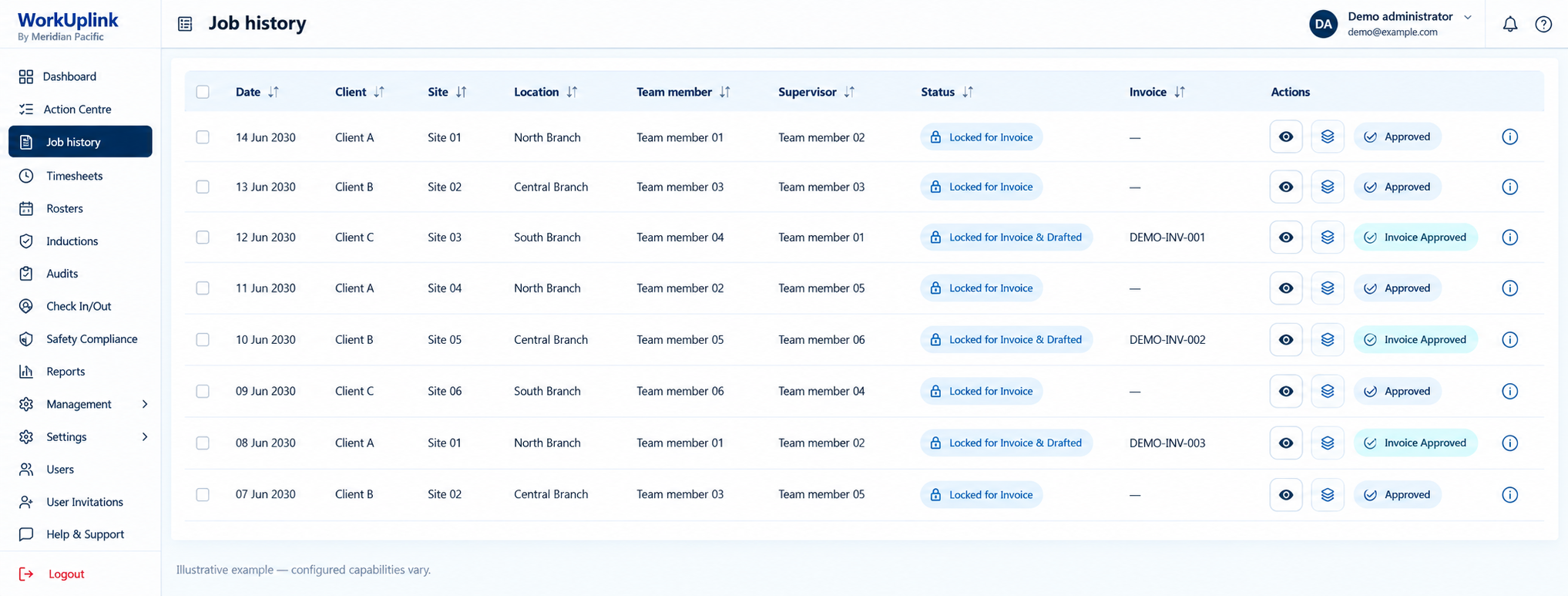
Keep job records and their processing status together, with filters suited to your operation. Administration can trace what was completed, reviewed and prepared for billing.
Where it could help
A commercial service company could investigate a billing query by finding the relevant job, site and invoice reference.
View screen ↗Job history and invoice traceability Illustrative example
04 / Maintain standards
See what needs attention.
Connect requirements, inspections, assets and performance.
Inductions and requirements
Keep qualifications and site requirements visible.
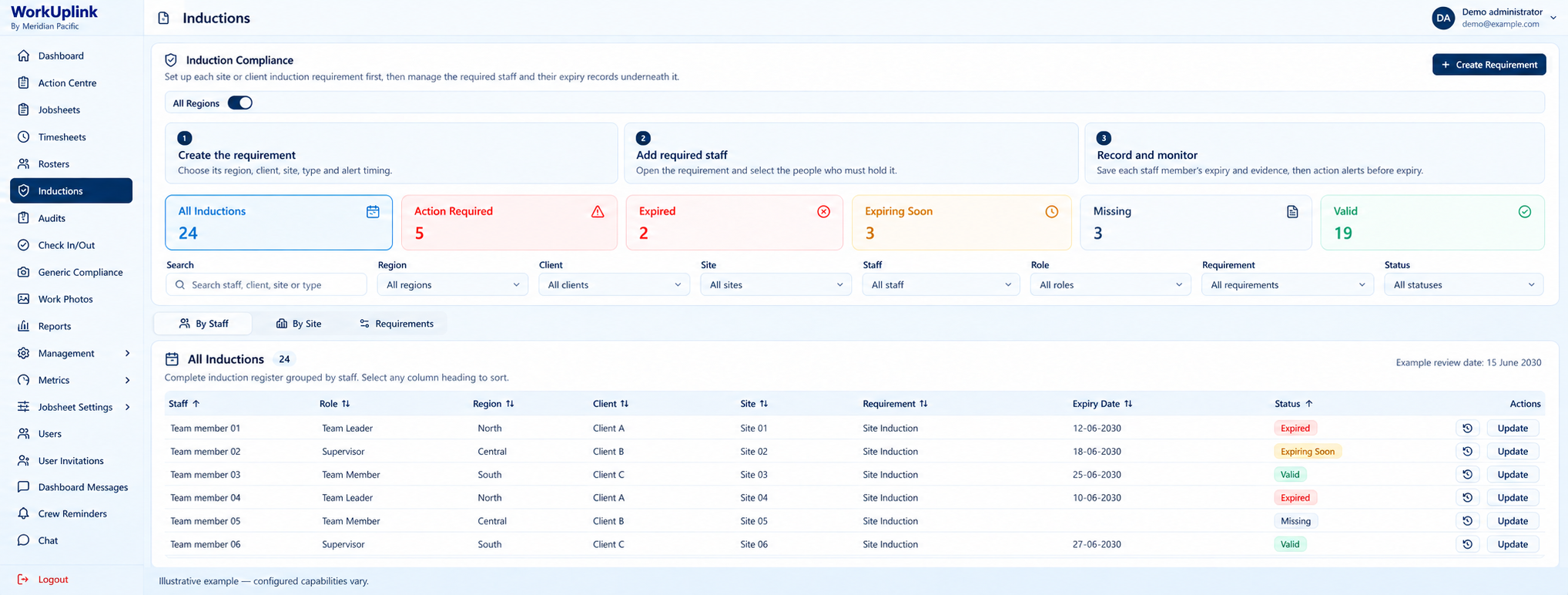
Track induction requirements, expiry dates and missing records by person or site. A shared register helps coordinators identify follow-up before allocating work.
Where it could help
A contractor working across client premises could check which team members need renewed site inductions.
View screen ↗Inductions and requirements Illustrative example
Audit and inspection workflows
Make inspections part of the workflow.
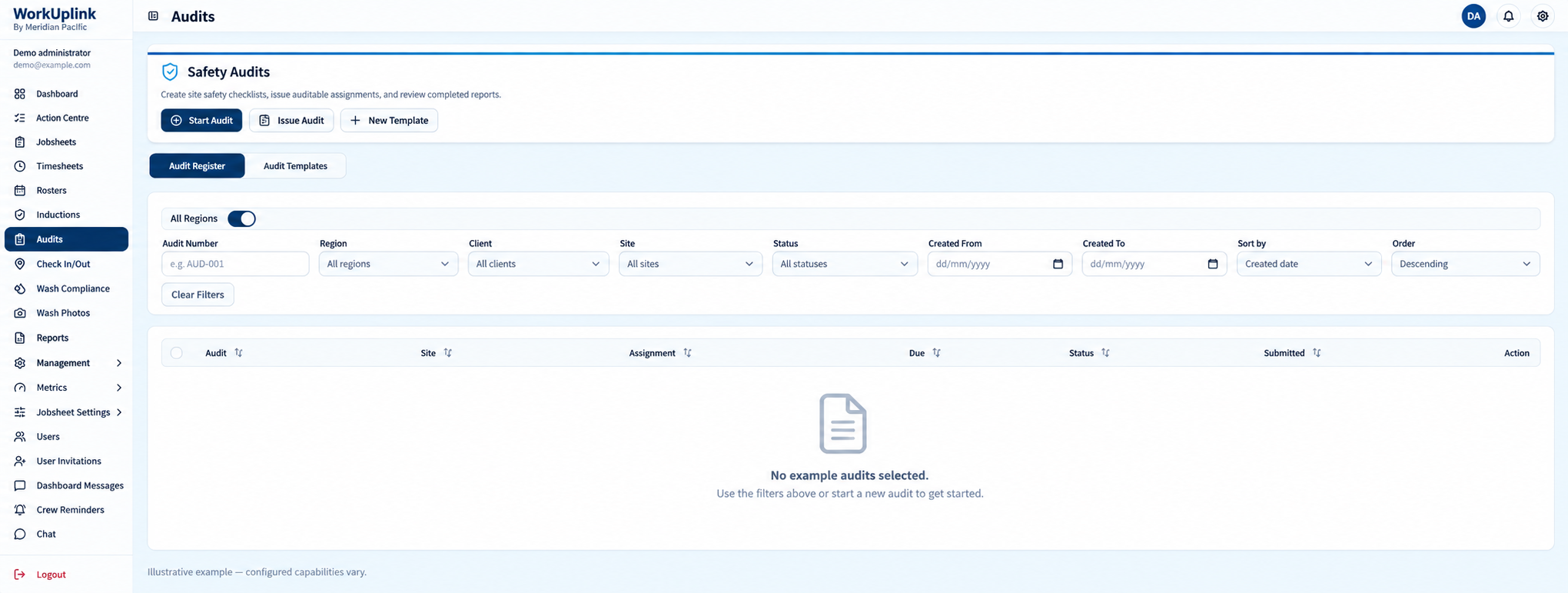
Shape audit checklists and assignments around the checks your operation needs. Agreed review steps can give managers a consistent way to follow up on findings.
Where it could help
A facilities business could build site inspection checklists; an equipment service team could record its own quality checks.
View screen ↗Audit and inspection workflows Illustrative example
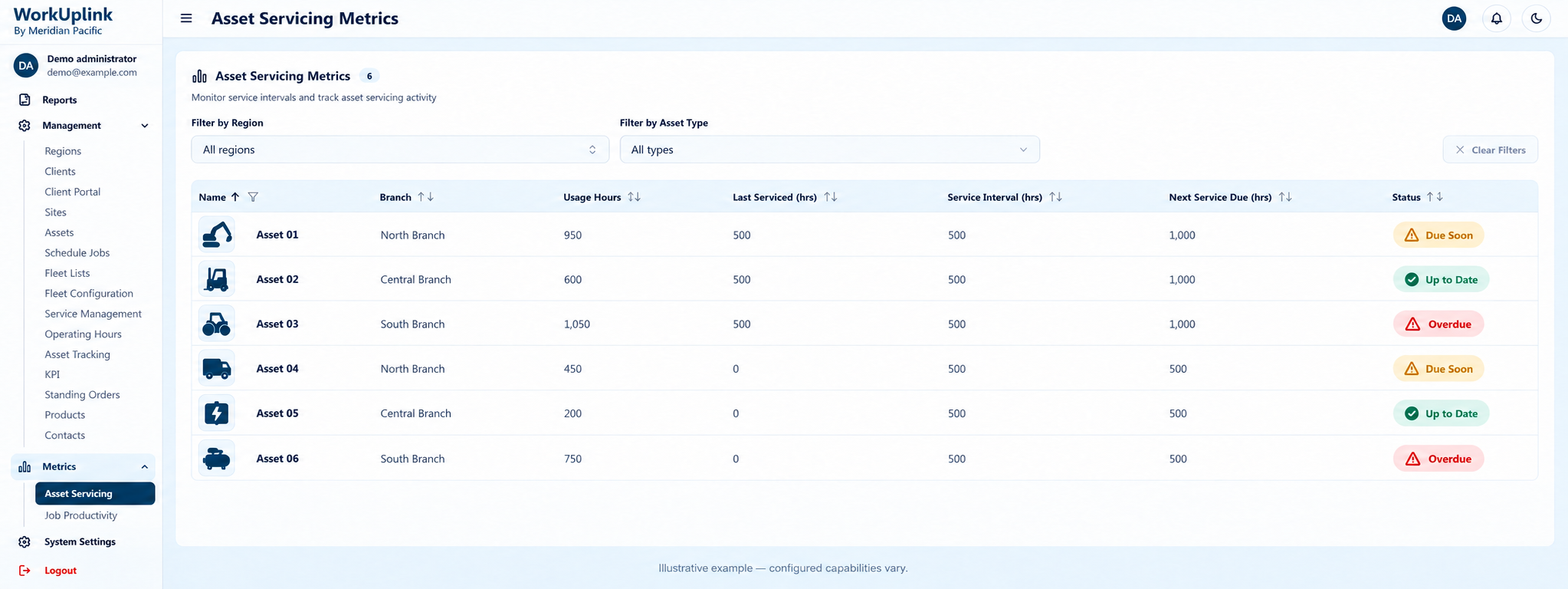
Asset servicing
Plan around the equipment your work depends on.
Bring asset usage, service intervals and maintenance status into a common view. Agreed thresholds help coordinators identify equipment needing attention.
Where it could help
An equipment hire or field service business could plan servicing alongside staff and job allocation.
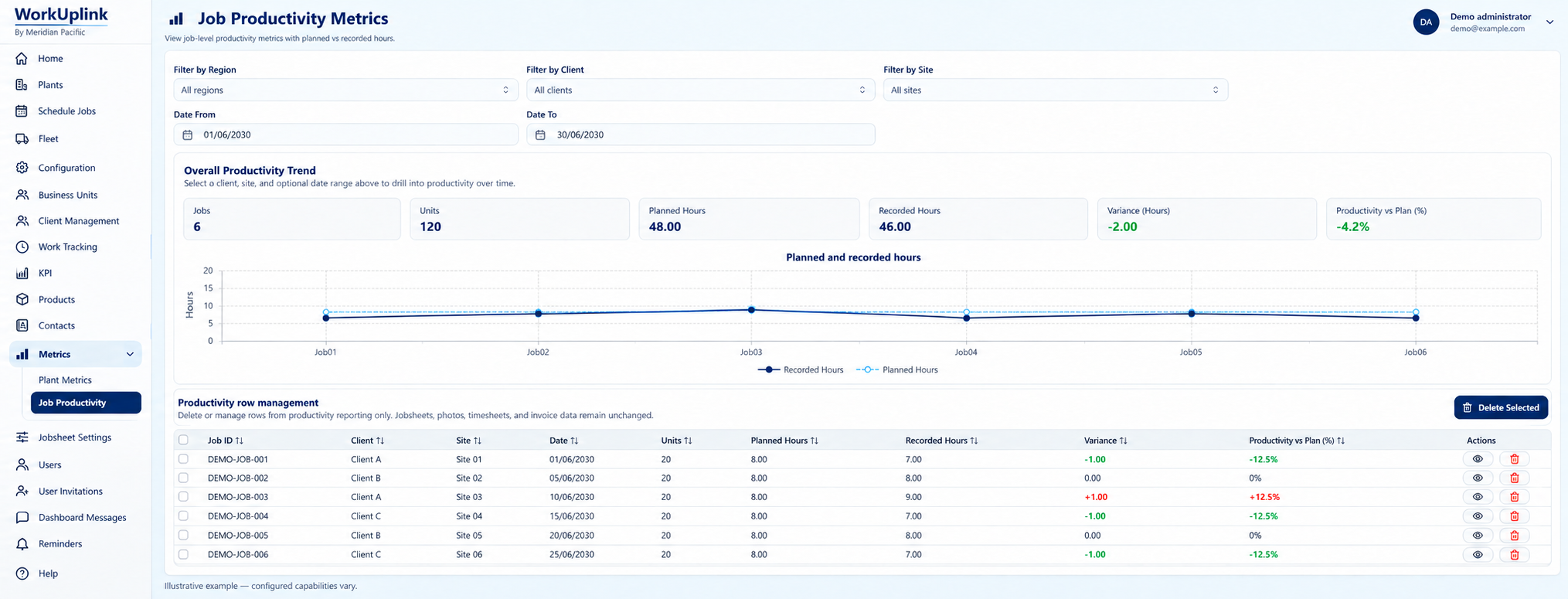
Compare planned and recorded effort using measures agreed for your business. Reporting can help managers investigate overruns and improve estimates without treating every job as identical.
Where it could help
A multi-branch maintenance company could compare similar service types and investigate where extra travel or rework affects delivery.
View screen ↗Productivity and reporting Illustrative example
05 / Connect the team
The right information. The right people.
Shape access and communication around responsibility.
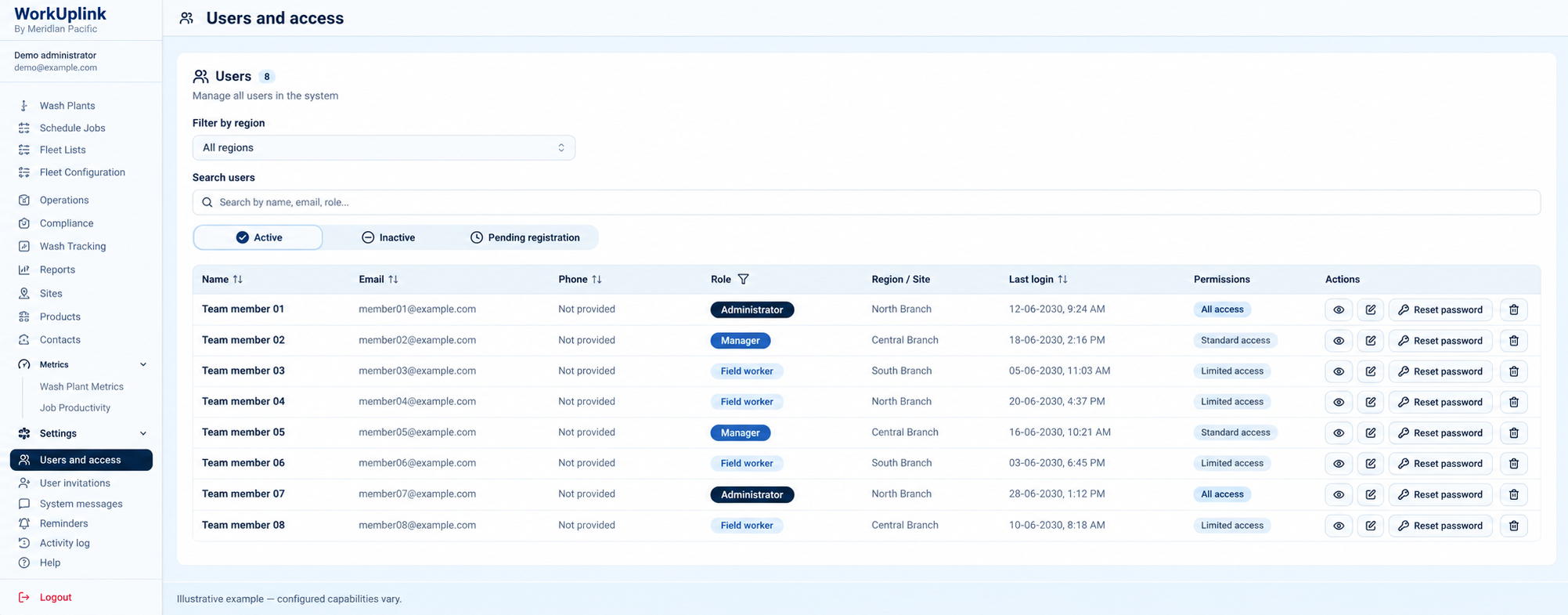
Users and access roles
Set access around responsibility.
Define roles and access requirements for staff, managers, administrators and customers. We map who should see, review or manage each part of your process during implementation.
Where it could help
A national business could give head office a wider view, branch managers their own operations and field staff their assigned work.
View screen ↗Users and access roles Illustrative example
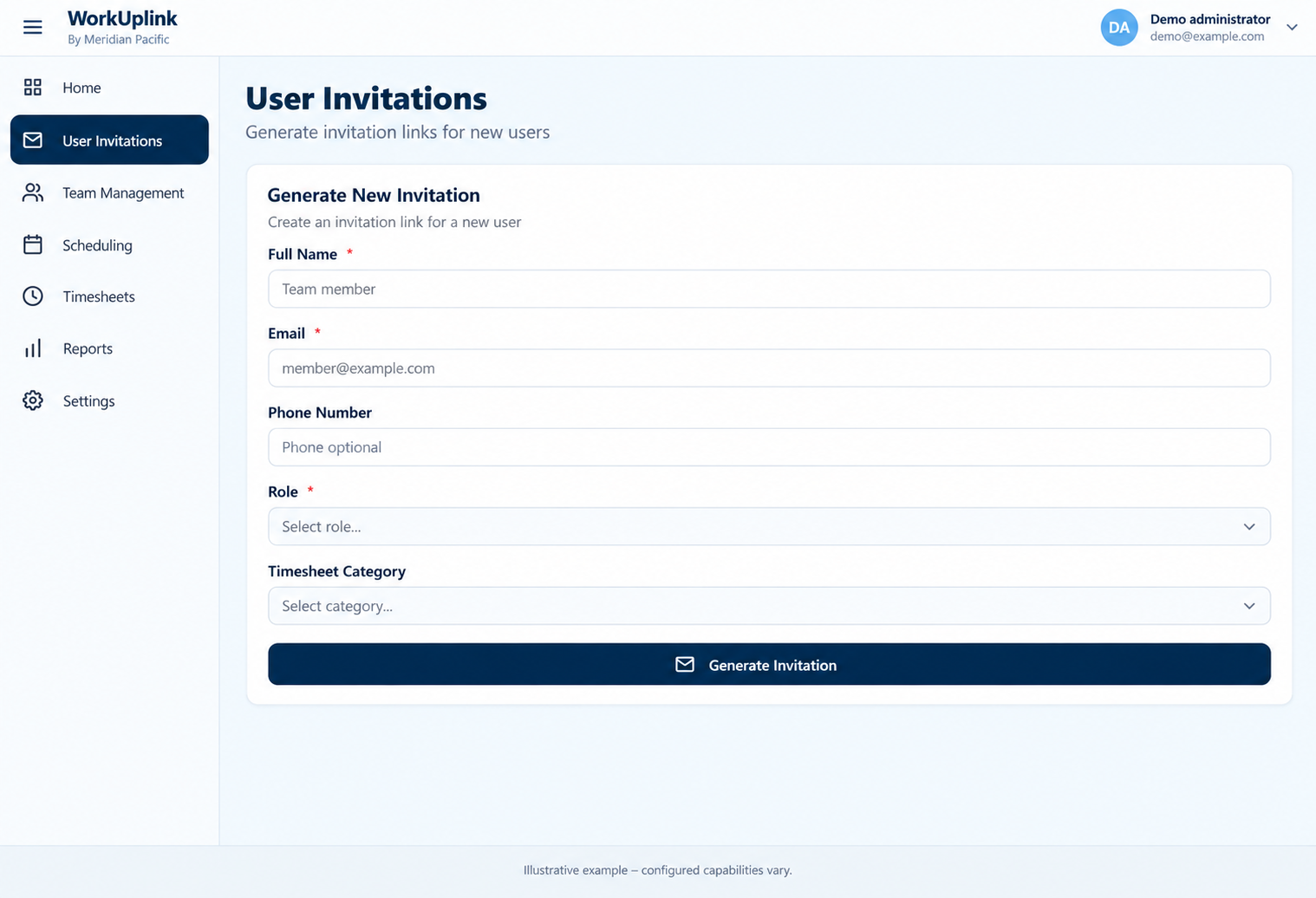
User invitations
Make joining the team a consistent process.
Use a structured invitation flow to collect the information and role needed for a new user. Onboarding can follow the same agreed process as the business grows.
Where it could help
A seasonal service company could organise new starters by role and branch rather than handling each setup differently.
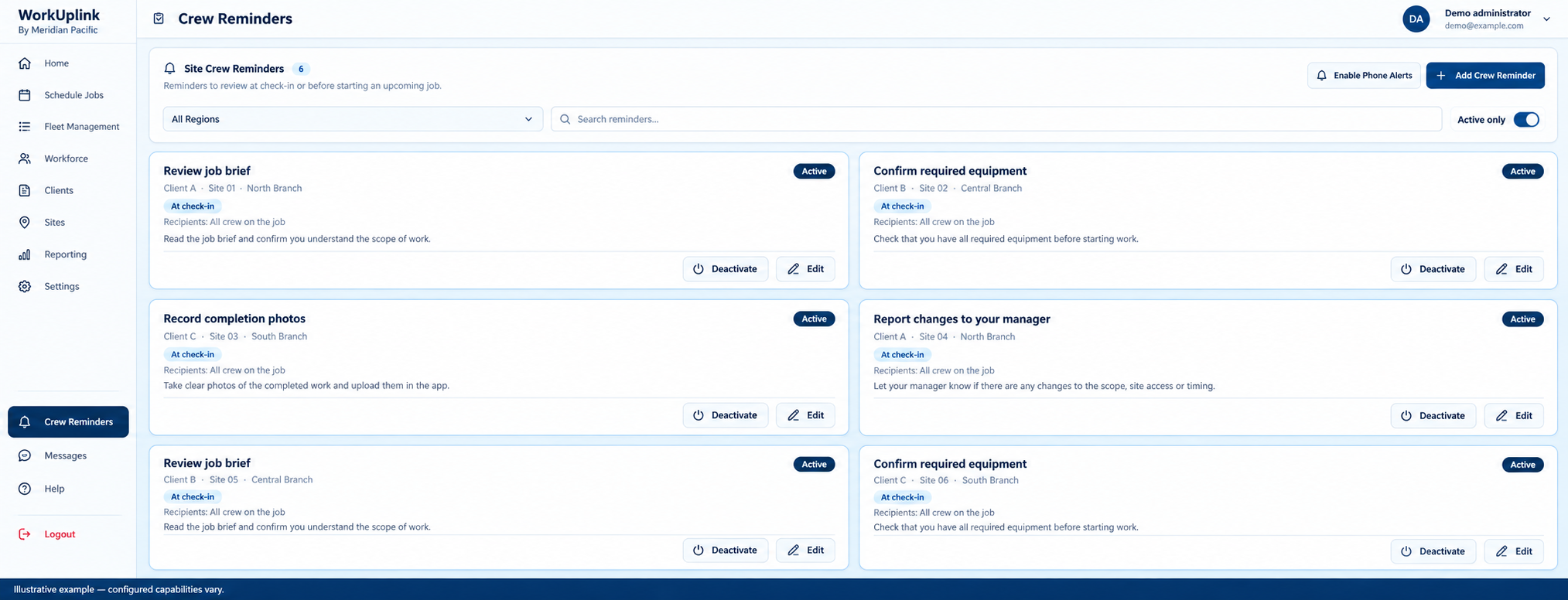
Show job or site reminders where staff need them, such as at check-in or before a scheduled task. Consistent instructions reduce reliance on scattered messages.
Where it could help
A cleaning or maintenance business could remind crews about required equipment, completion photos or a site-specific job brief.
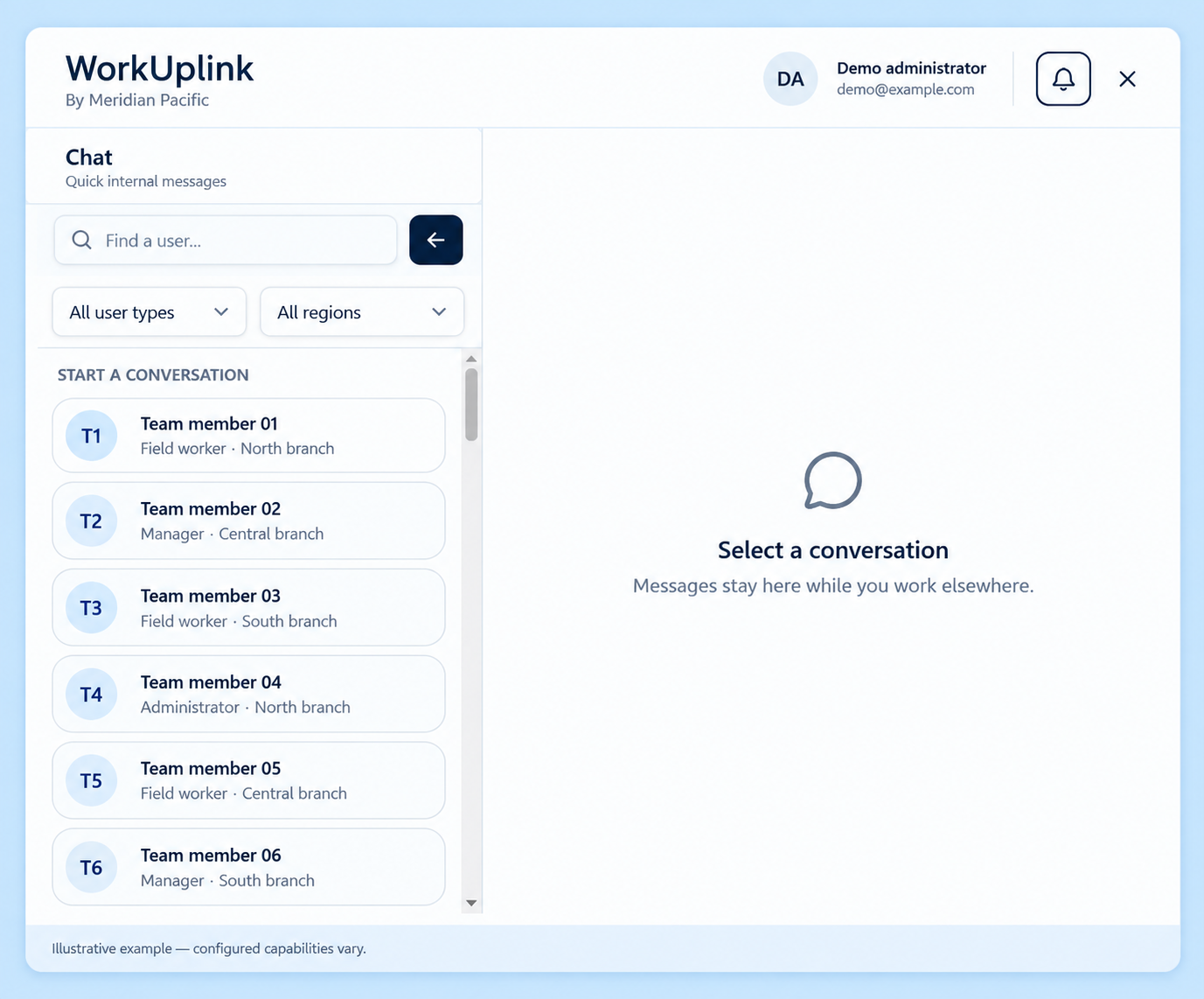
An internal messaging area can help teams find the right colleague without leaving the portal. Communication scope, notifications and retention are agreed as part of the build.
Where it could help
A regional field team could contact a coordinator while administration and managers remain available in the same system.
View screen ↗Team communication Illustrative example
Announcements and team updates
Share updates across branches with less noise.
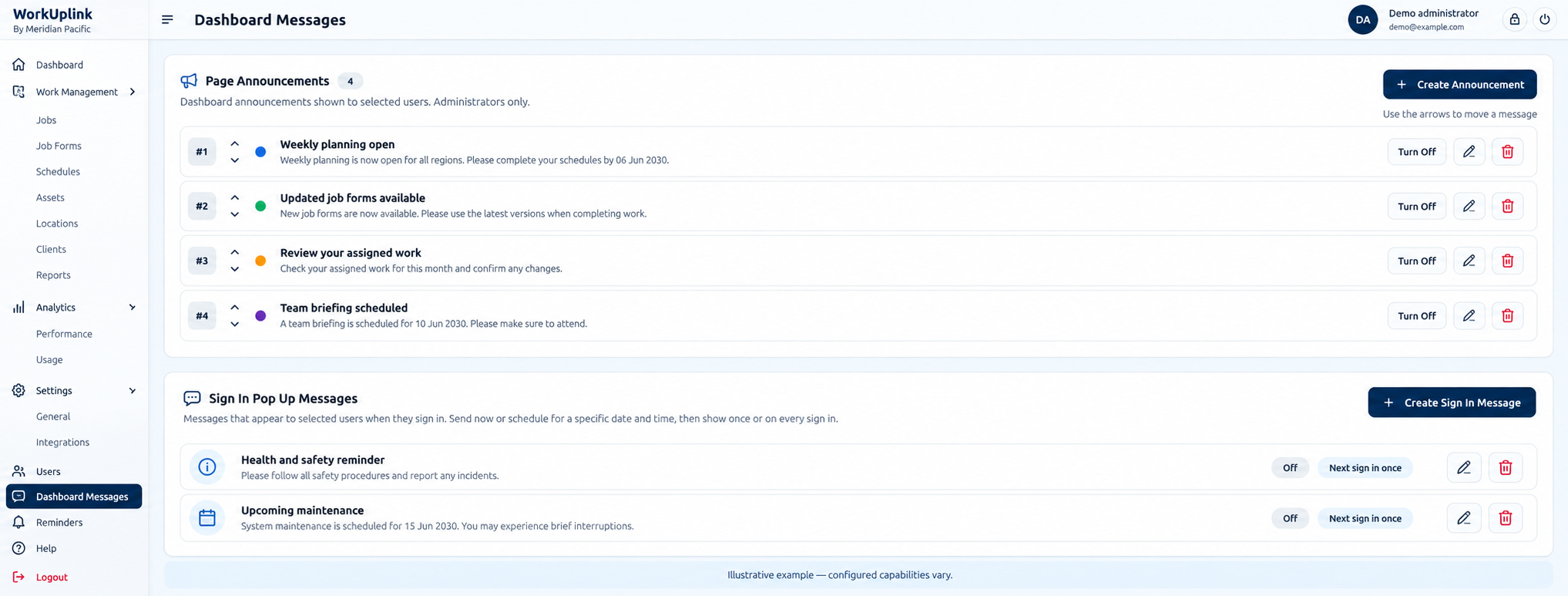
Target announcements and sign-in notices to the people who need them. A shared channel can make process updates easier to find than a chain of forwarded messages.
Where it could help
A national operator could share an organisation-wide update while keeping local reminders relevant to each branch.
View screen ↗Announcements and team updates Illustrative example
Your process comes first
Choose the workflow. We shape the platform.
You do not need every screen shown here. We work with you to decide what belongs in your first version, how information moves between people and which approvals matter.
Xero integration, invoice generation rules, payroll exports, customer access and notifications are scoped and configured for your business. Permissions are defined and tested as part of implementation.
Let’s start with your business
Where does work get held up?
Tell us about your people, branches and the steps that take too much time. We’ll start there.