
A national field operation
Keep local branches moving while head office sees the wider picture. Connect field crews, regional managers and central invoicing through one agreed process—with access matched to each role.
Custom portals. Real business needs.
Your business.
Connected.
Connect your people, jobs and invoicing in one portal, built around your business. From a team of two to branches nationwide—keep work moving, with less chasing and double handling.
Explore

Illustrative portal
| Branch | Latest activity | Status |
|---|---|---|
| North branch | Site inspection | Awaiting review |
| Central branch | Service visit | Approved |
| South branch | Maintenance | Invoice ready |
Built around the way you work.
Tell us what happens on site, what managers need to check and what the office needs to invoice. We build around those handovers—with your forms, your branches and access roles defined by you.

See what your business could bring together
When job details live in messages, spreadsheets and people’s heads, every handover takes effort. Give your team one clear path from planned work to an invoice-ready record.
Explore the capabilities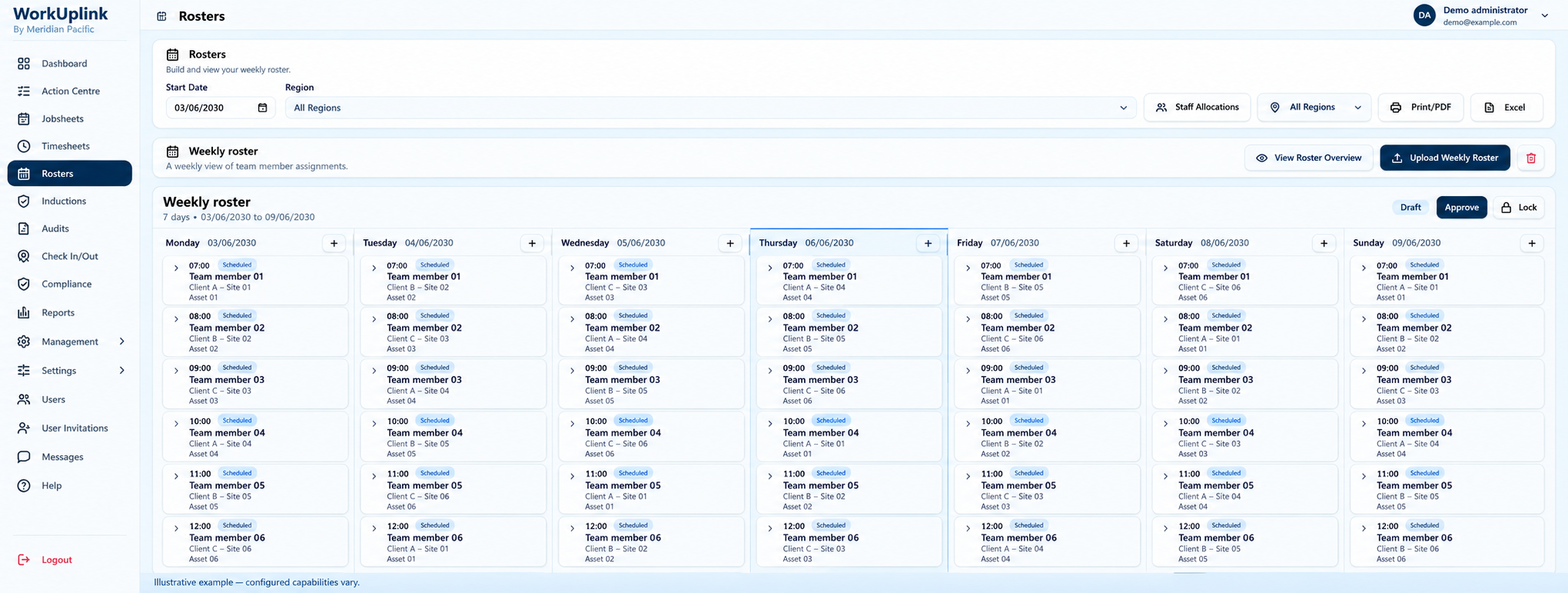
Bring staff, sites and schedules together so managers can see who is doing what, and where.
Explore planning ↗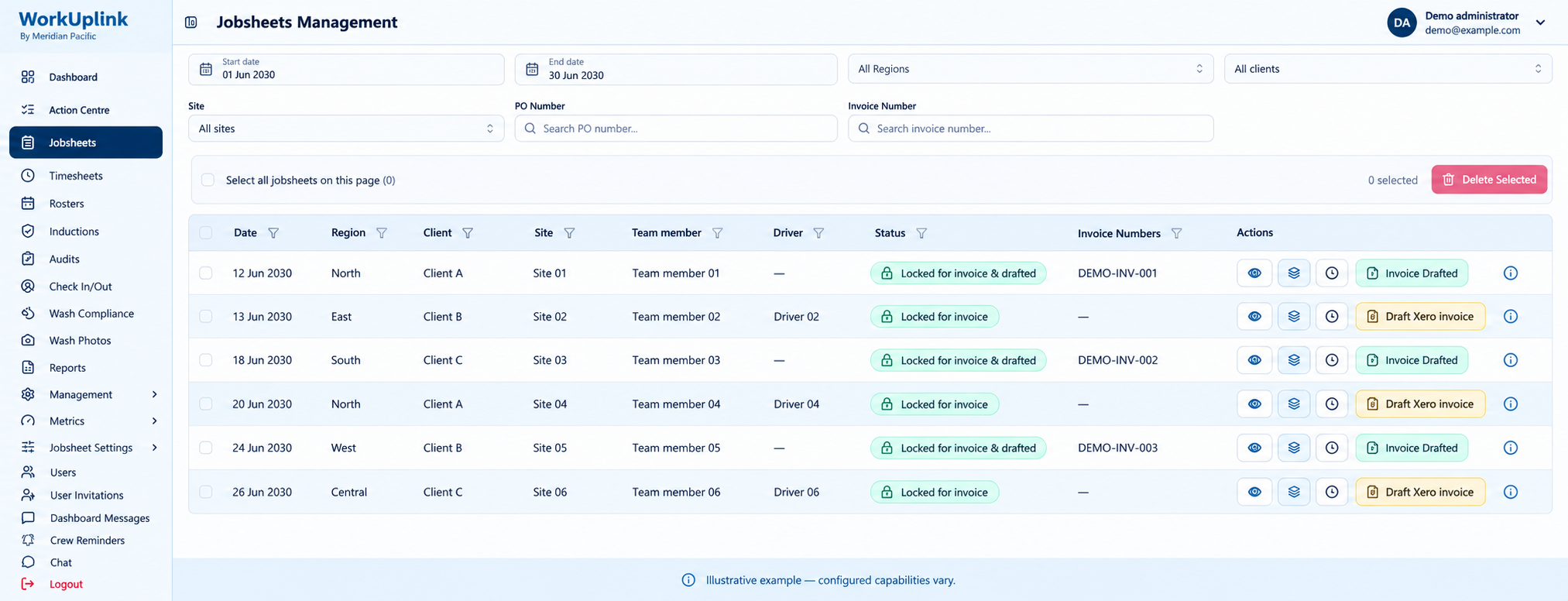
Connect field records, manager approvals and administration. Reduce repeated entry at each step.
Explore approvals ↗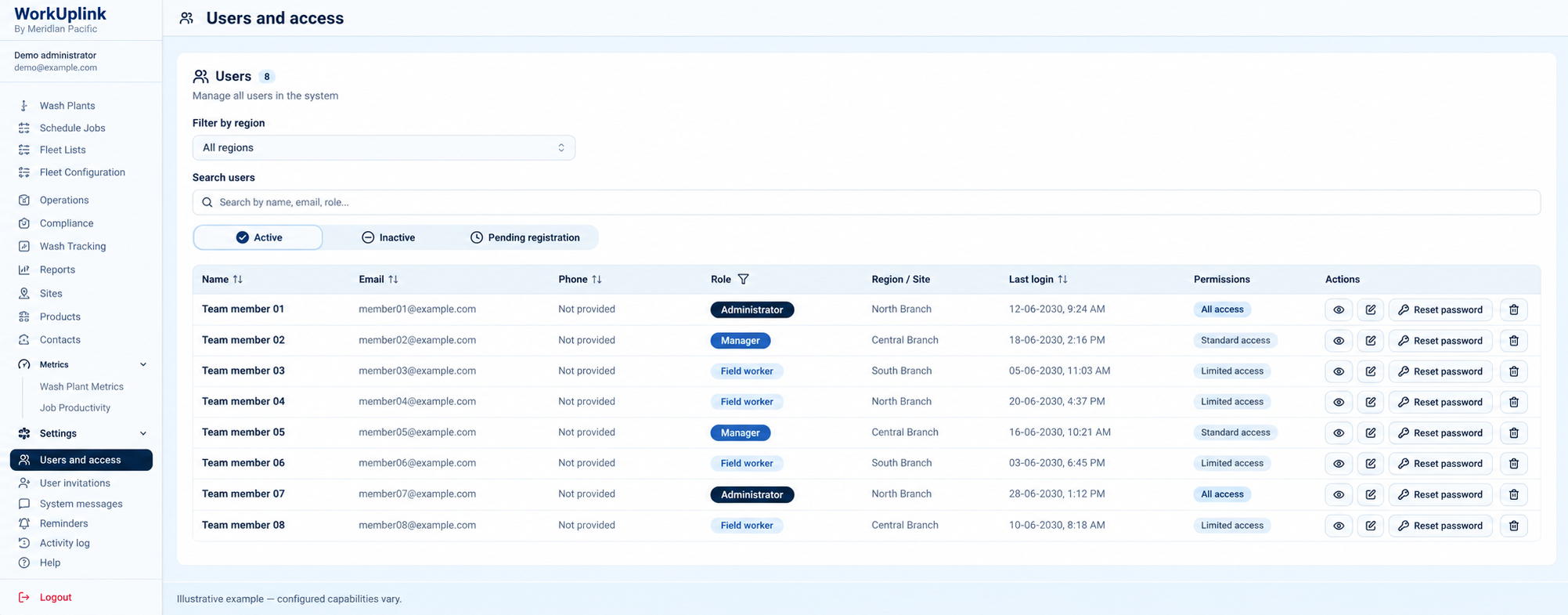
Shape what field staff, branch managers, head office and customers can see and do around their responsibilities.
Explore team access ↗Illustrative screens with synthetic data. Your workflow, modules and permissions are tailored and tested during implementation.
Job logs, photos, hours and sales activity feed into your portal from the people doing the work.

 Job logged · Ready for review
Check records, request corrections and approve work—with access defined by role, branch and location.
Illustrative review panel
| Job | Location | Status |
|---|---|---|
| Site inspection | North branch | Awaiting review |
| Service visit | Central branch | Approved |
| Maintenance | South branch | Ready for invoicing |
Bring approved work together for administration and invoice preparation, without re-entering the same details at every step.

A Xero integration tailored during setup can simplify invoice preparation and reduce manual handling.
Integration scope is agreed for your business.
Illustrative invoice workflow
 Approved workPrepare invoices
 Send to accountingComplete
Stop paying for the same information to be handled again and again. A connected workflow helps reduce admin effort, catch missing details earlier and move completed work towards billing.
Example uses
Keep local branches moving while head office sees the wider picture. Connect field crews, regional managers and central invoicing through one agreed process—with access matched to each role.

For trades, maintenance and small service teams: log work and photos on site, keep your partner or office up to date, and prepare invoices from completed jobs. Xero integration is scoped to suit your business.

For growing service, facilities and equipment businesses: connect sales handovers, scheduling, job delivery and approvals before another spreadsheet becomes another bottleneck.
Tell us where work slows down.
We’ll map a clearer way forward.
Enquiry address awaiting confirmation.